
Note that you must be approved as an authorized signer to link an external bank account in Anatomy. In addition, the external bank account you are looking to link should also be a business account under the same business name and address that was submitted in the bank application.
1. Click on Transfers in the left sidebar of the Anatomy platform, click the Linked Accounts tab, and then click "Link account."
2. Click Link to transfer.
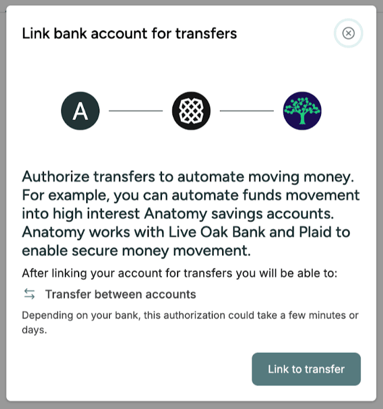
3. In the Plaid pop-up window, click Agree.
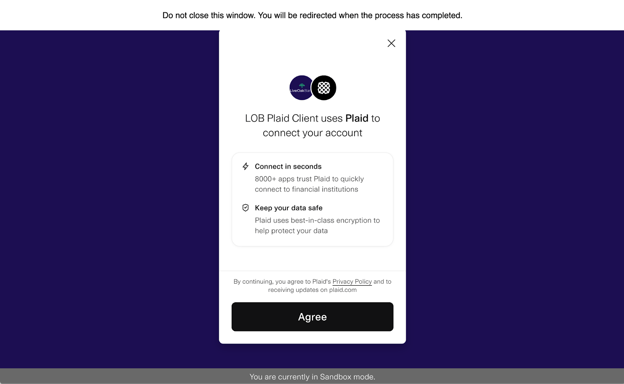
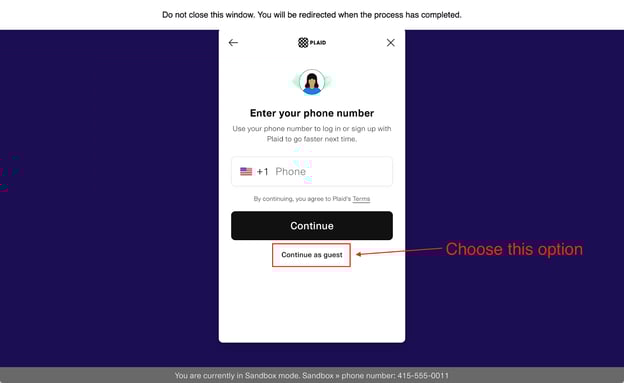
4. When the window asks for your phone number, do not enter your phone number and instead click on Continue as guest.
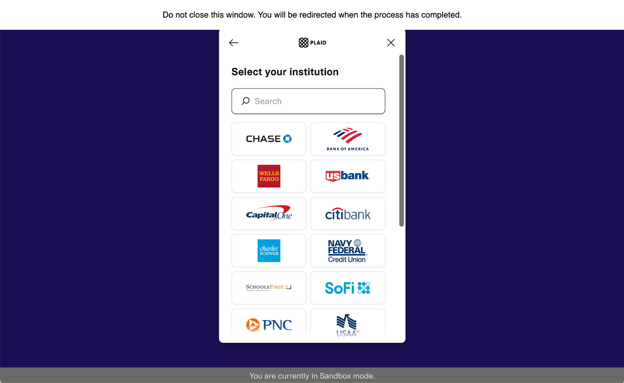
5. Find your institution and log in. From there, Plaid will walk you through the linking process. You've successfully completed the process if you're redirected to the Anatomy platform and see a success message with your external account on the Recipients page. The platform may ask you to "Complete verification" by uploading a bank statement from the last 60 days.
If you are unable to log in, unable to find your institution, or do not receive a success message, go to step 6.
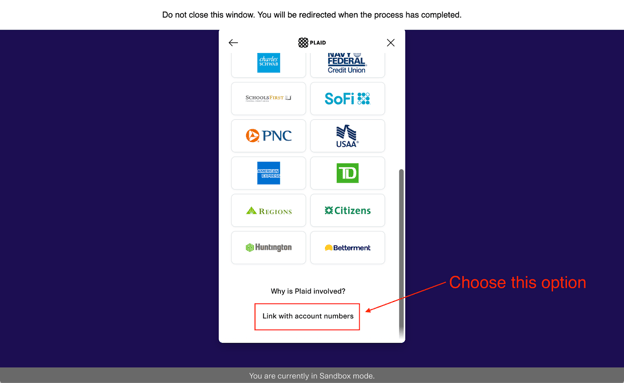
6. Scroll to the bottom of the window and click Link with account numbers.
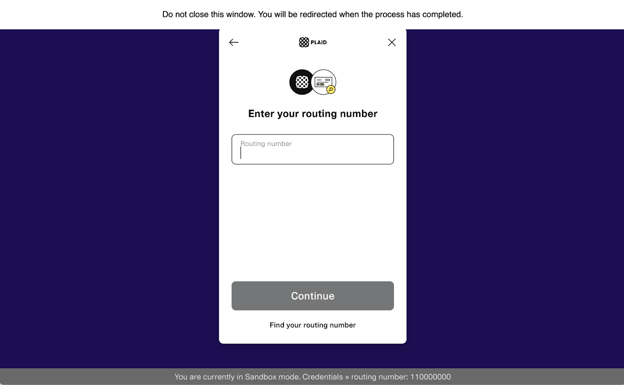
7. Enter your routing number.
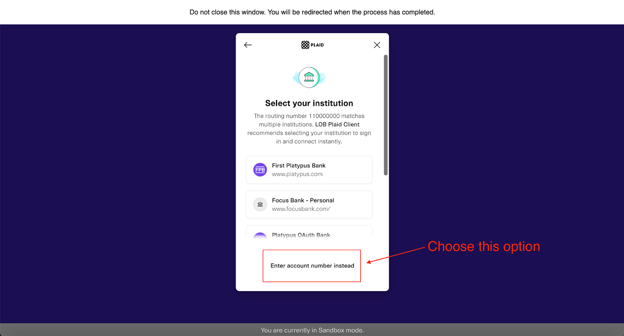
8. When prompted to select your institution, click Enter account number instead.
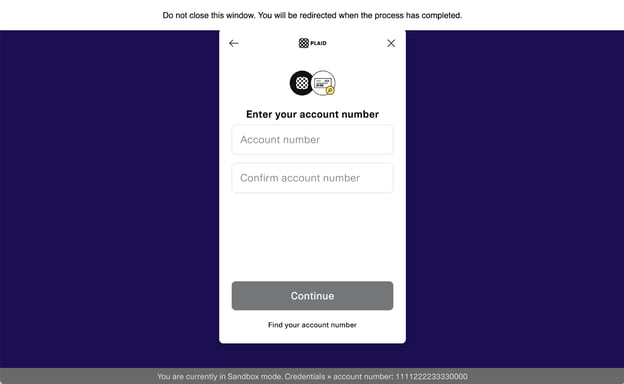
9. Enter your account number.
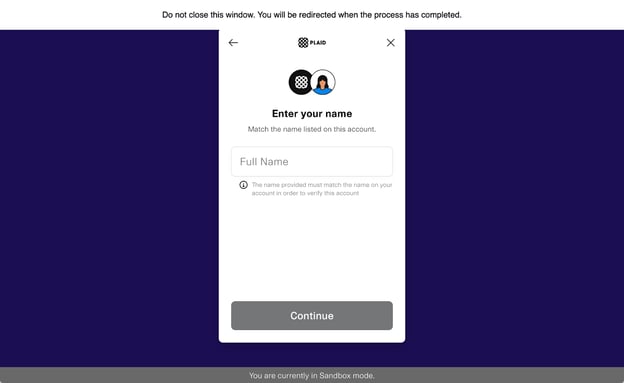
10. Enter your full name that matches the name on the account you are wanting to link.
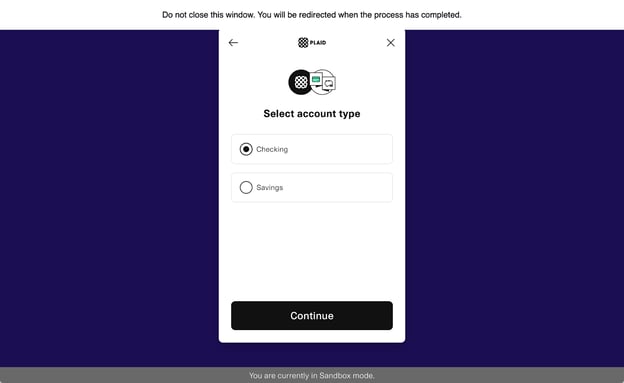
11. Select the account type of the account you are wanting to link.
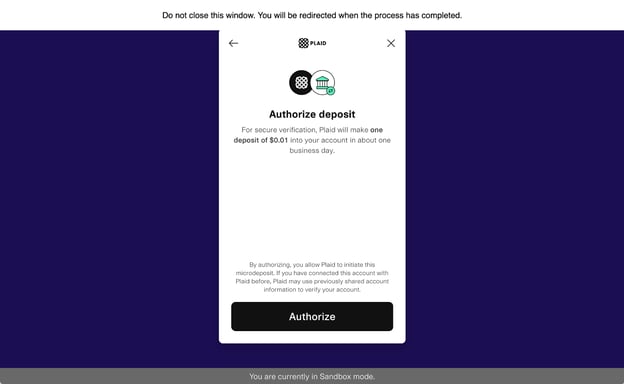
12. Click Authorize on the next window.
13. Read the microdeposit instructions, then click Continue.
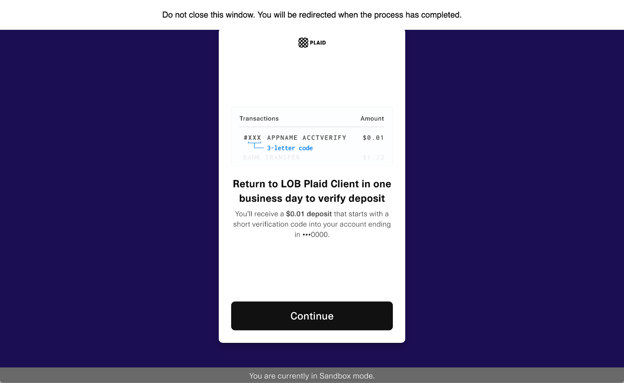
14. You'll be redirected back to Anatomy and a success message will be shown if the microdeposit process has successfully kicked off.
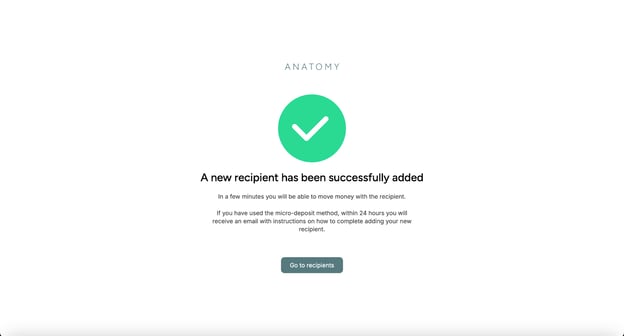
15. To complete the external account linking process, you'll need to return to the Anatomy platform in 1 business day when the microdeposit is deposited into your account and verify that you received it. You may also be asked to upload a bank statement from the last 60 days.