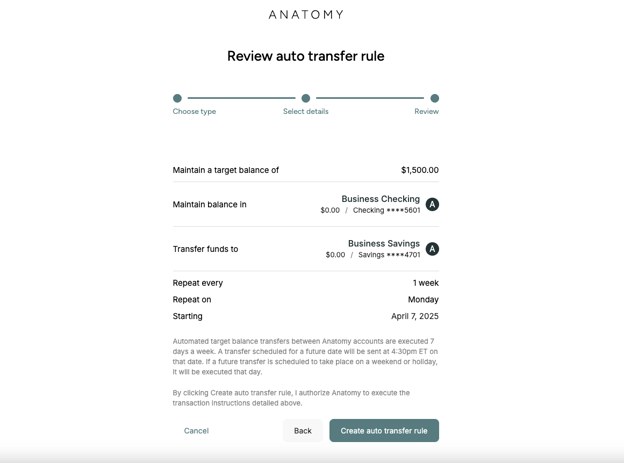
You can set up a transfer rule that will automatically move your excess funds into your external bank account or another Anatomy account (e.g., savings account) on a weekly basis to maintain a target balance.
Note that you must be an authorized signer to perform this action. You can click on your practice name in the top right, then click on Settings and then Team members to confirm whether you have been approved for this designation.
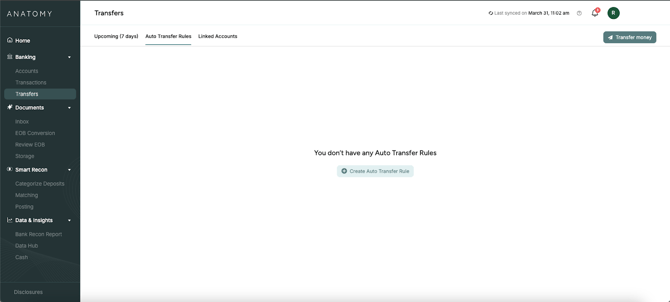
1. Click Transfers on the left sidebar, click the "Auto Transfer Rules" tab, and then click "Create Auto Transfer Rule."
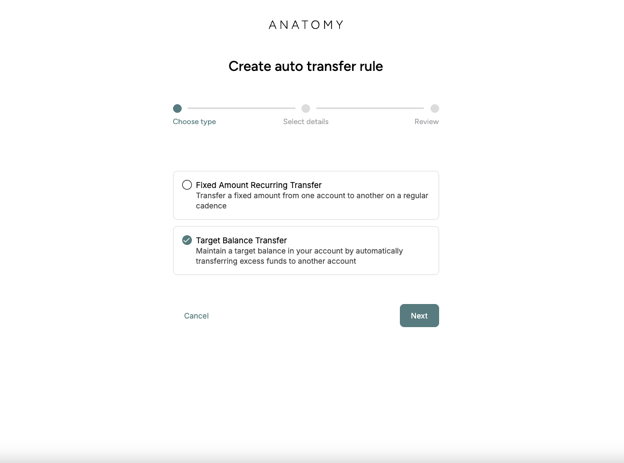
2. In the menu, click "Target Balance Transfer."
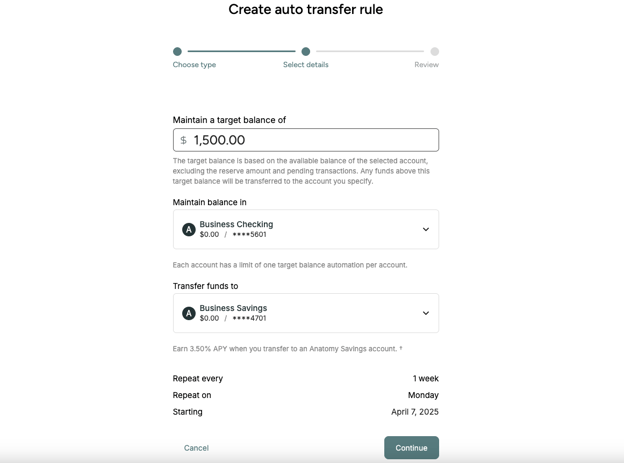
3. You can then set a target balance that you want to keep in your account at all times. When your balance exceeds that amount, the excess funds will be transferred into the account you choose on a weekly cadence. Note that you do not have to account for your reserve amount in the target balance; in other words, if you'd like to transfer your full balance to another account, you can set your target balance to $0.00.
4. Review and confirm your transfer rule; then click "Create auto transfer rule" to complete the transfer rule setup. Note that the transfer will execute weekly starting a week from the day that you set it up.