
You can access the Correspondence Tasks workflow by clicking on "835 Conversion" under "Workflows" in your left sidebar.
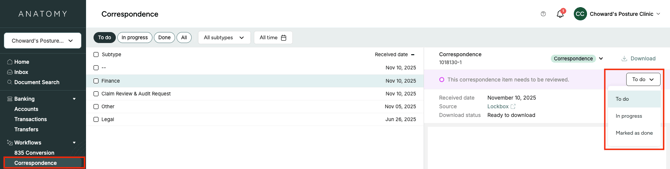
Here, you can view all correspondence mail and mark them as "in progress" or "marked as done."
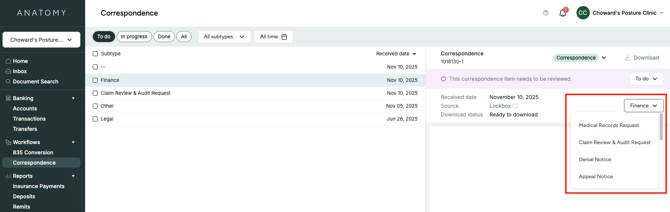
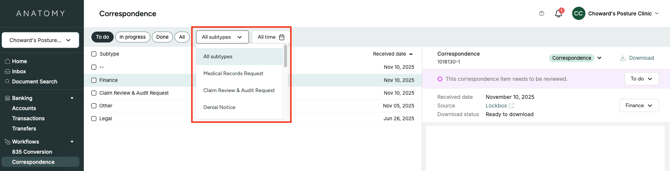
As you review the mail, you can also assign correspondence sub-types, which allow different teams/team members to quickly filter for the mail that is relevant to them to review. Other filters include to-do status and date received.
Note: Non-correspondence mail (e.g., mail marked as "EOB," "patient coupon," or "check") is not included in this workflow. You can view all of your mail, regardless of type, in the Inbox tab.